Thermal for Android
Every account. Every dollar. On your Android phone.
There is one Thermal app, built once and running on both phones: the envelope budget, every transaction, the whole portfolio, and the 10,000-path retirement engine, all reading the account you already have. What Android does not have yet is a Play Store listing, and the note further down says exactly where that stands.
Android · 8.0 or later · Not on the Play Store yet
14 days free · Full Pro access · No credit card
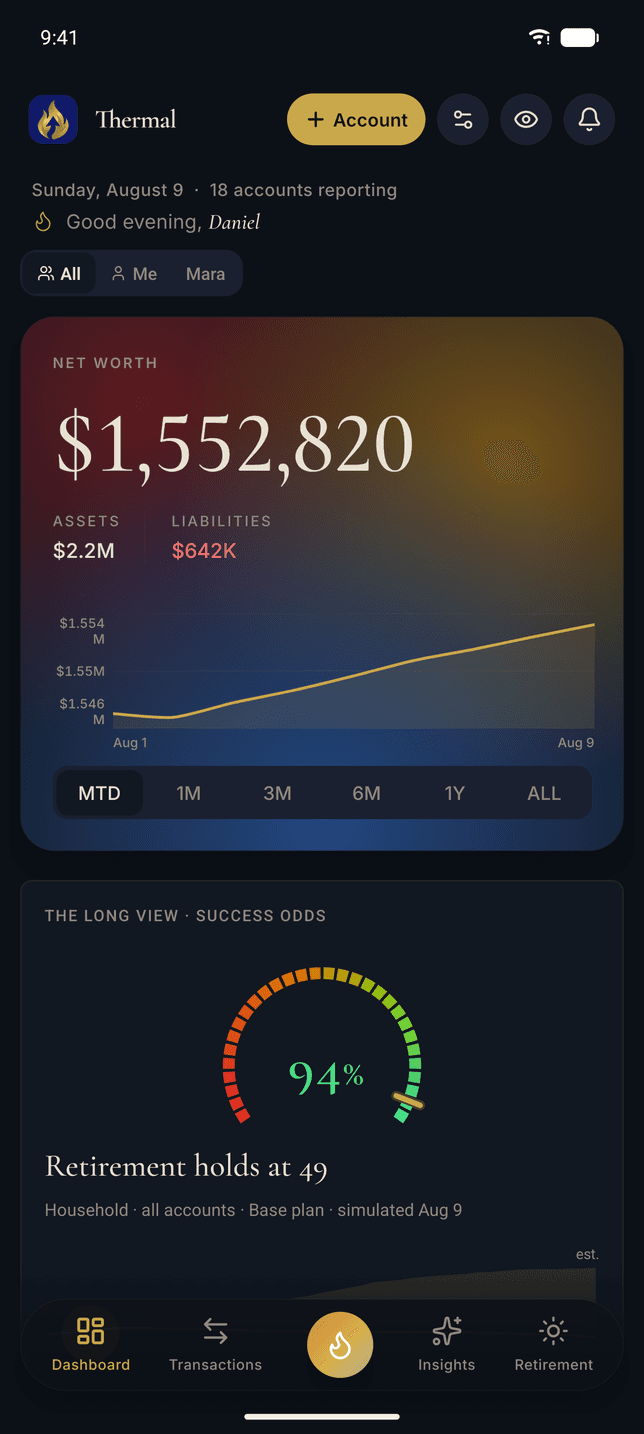
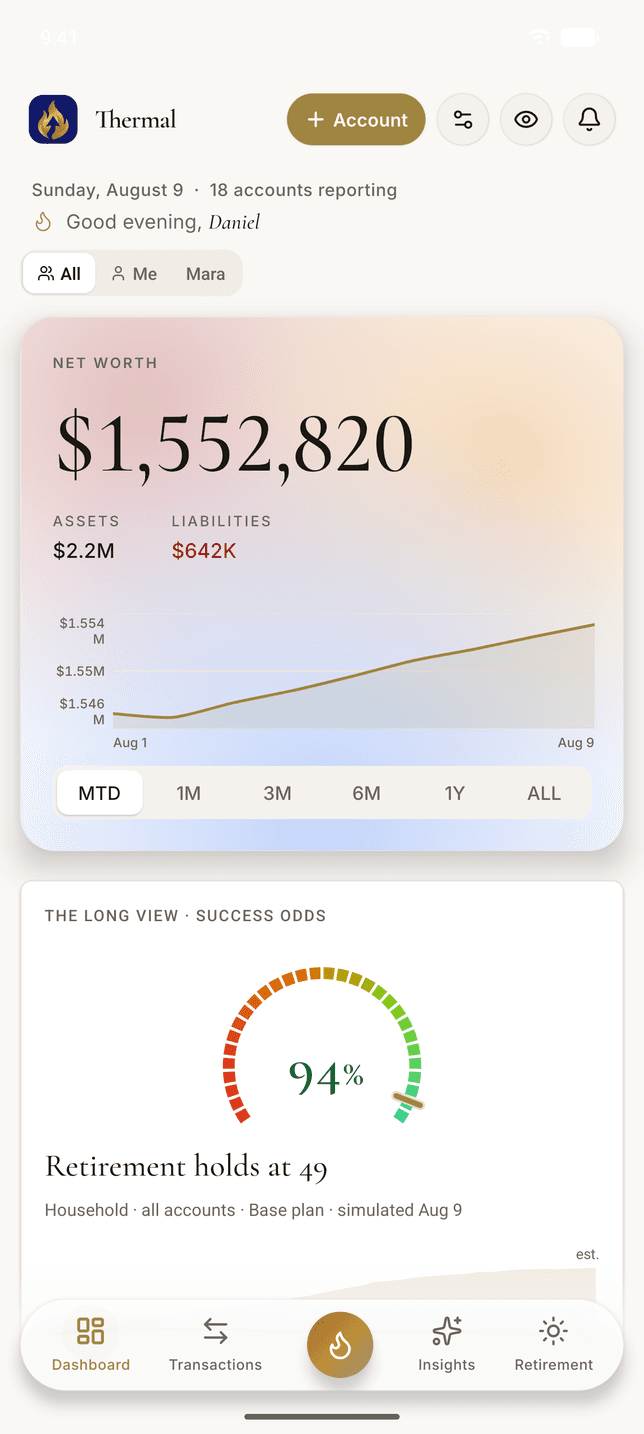
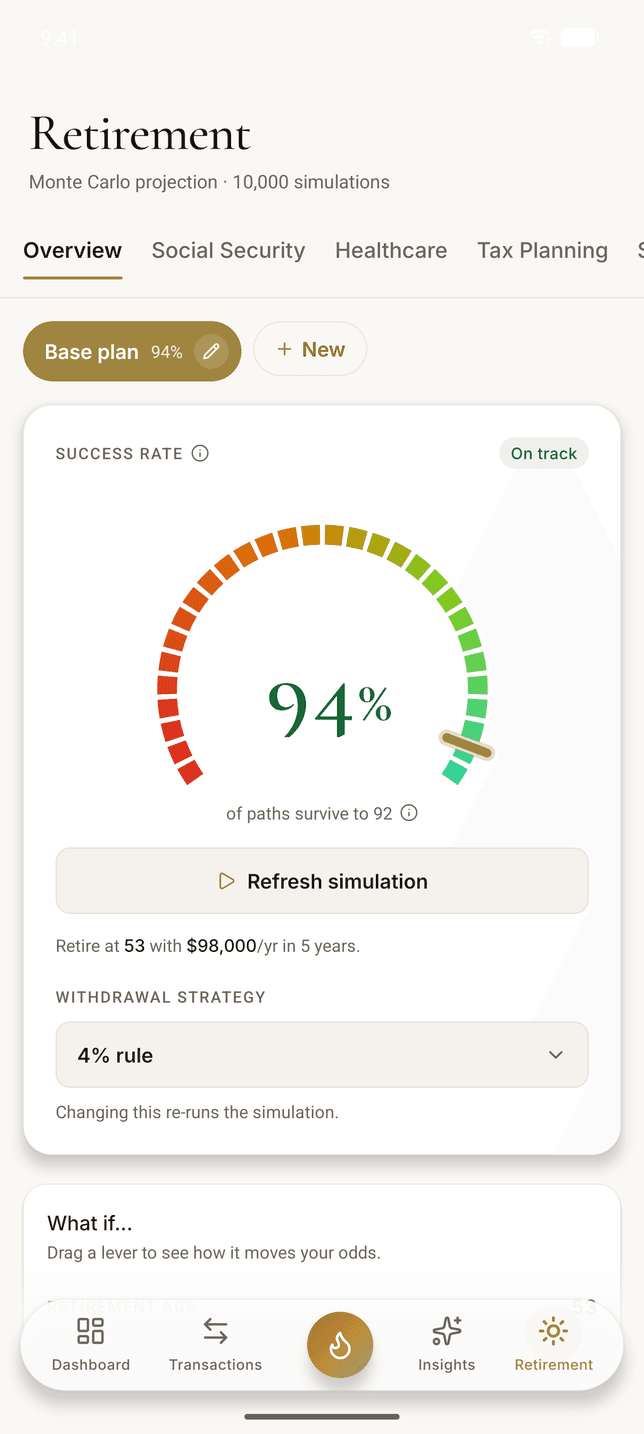
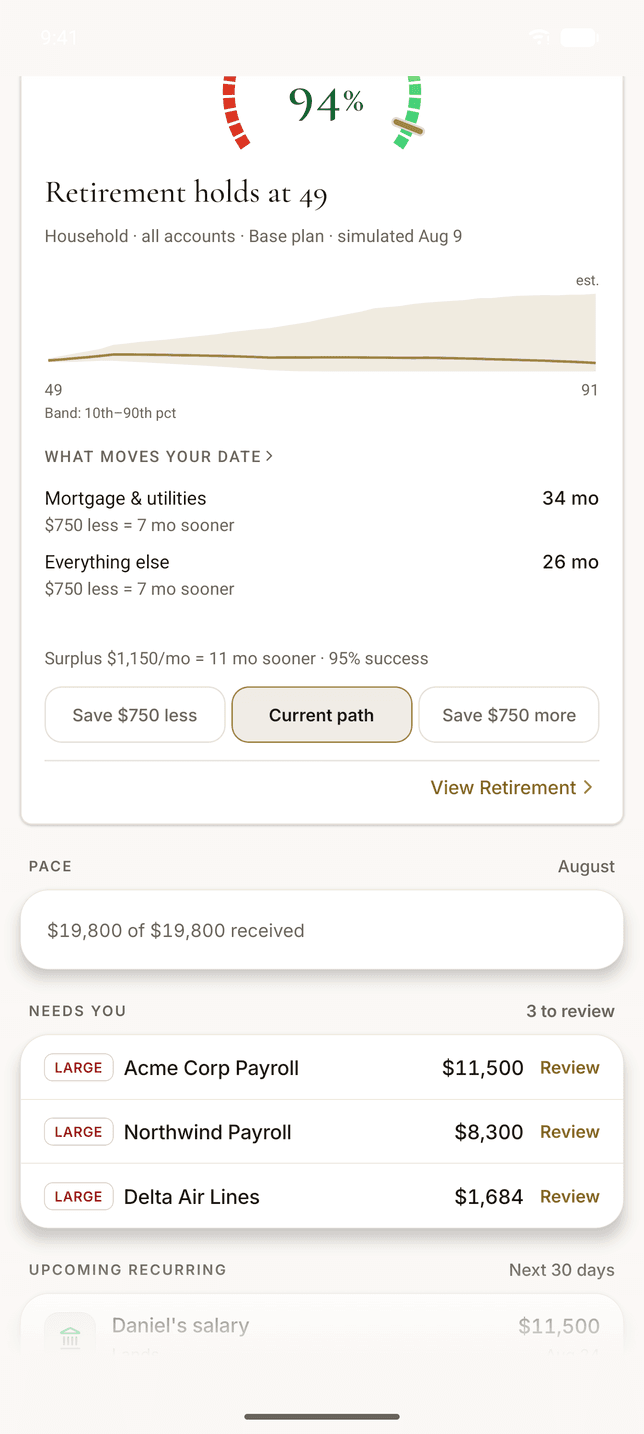
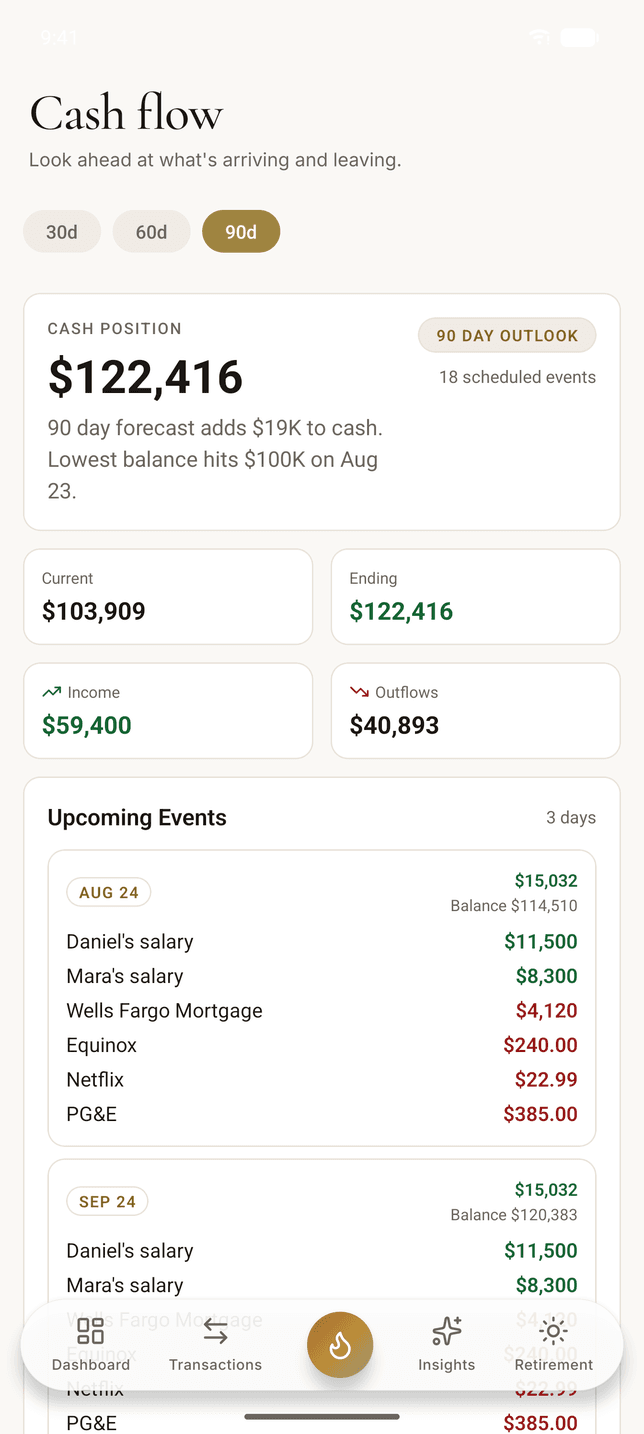
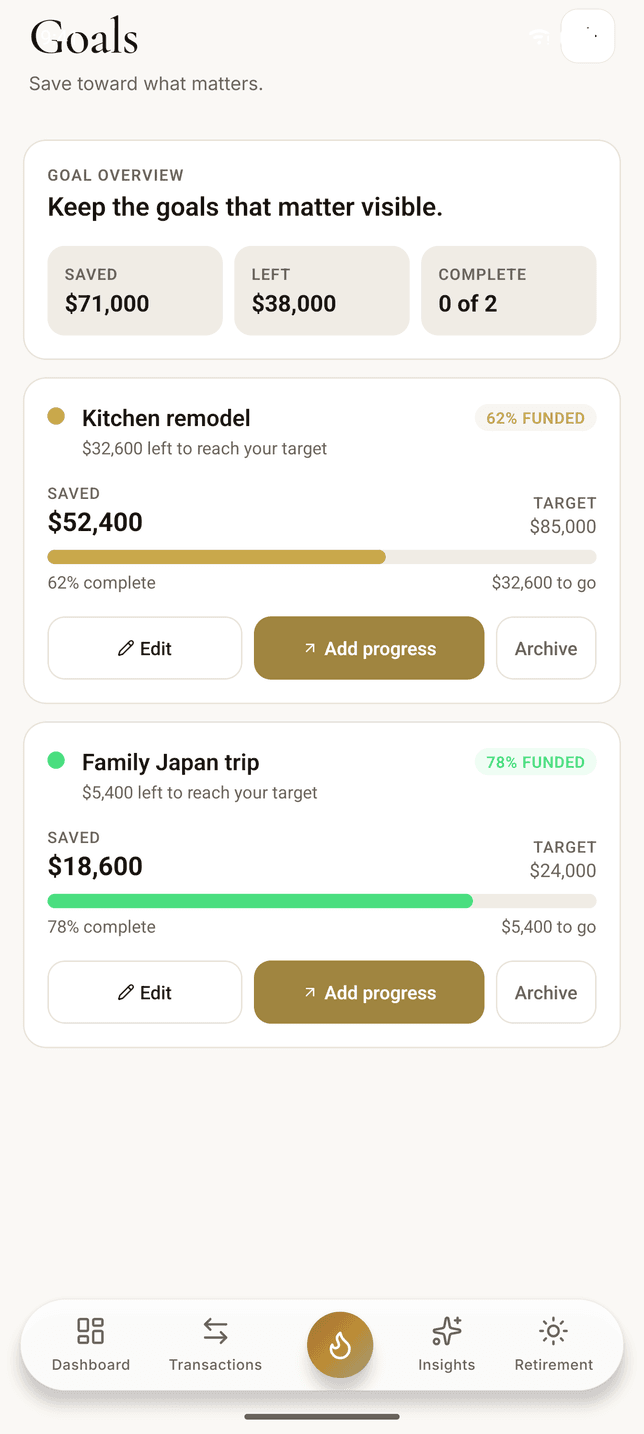
Real screens, not mockups. Daniel and Mara Hale are a demo household with a net worth of $1,552,820, but every phone on this page is the Android build itself, at the phone’s native screen size, and every number is the engine’s own output. Light and dark are the same screens captured twice in one sitting.
What's Inside
Tap the flame, and the rest of it is there
Four screens stay one thumb away in the tab bar, and you pick which four. The flame in the middle opens everything else, grouped the way the app groups it.
Your money
Dashboard, Transactions, Insights, Retirement
Plan
Budgets, Goals, Recurring, Calendar, Cash Flow, Debts, Investments
Wealth
Accounts, Net Worth, Real Estate, Crypto, Receipts, Business, Cards
You
Advisor, Notifications, Settings
Business tracking is a Pro feature, and Advisor appears only if you are one. Everything else is on both plans.
Daily Money
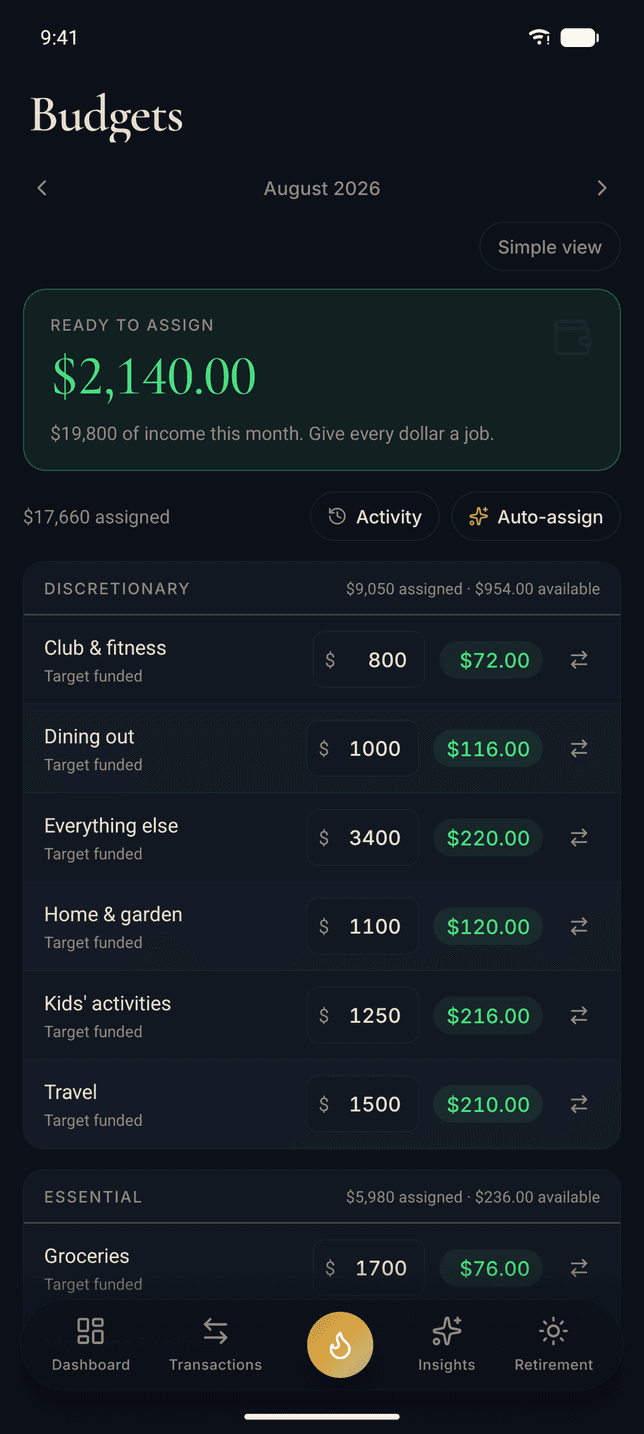
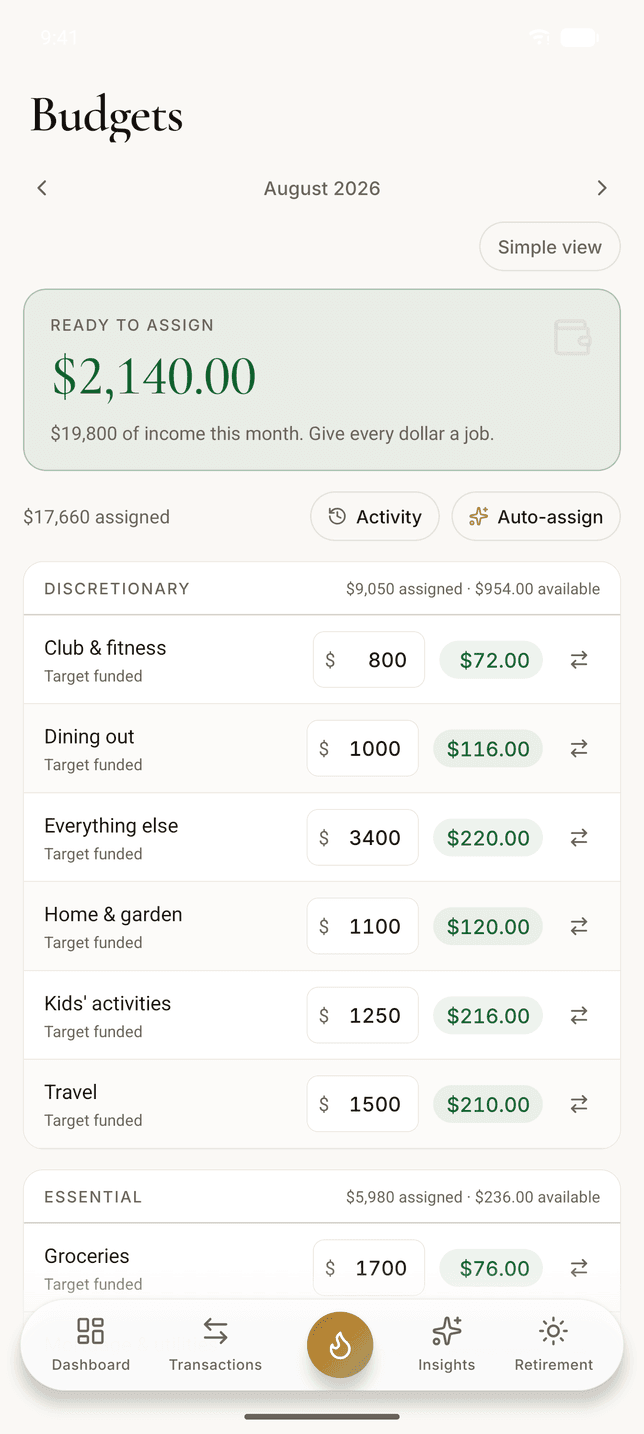
Assign the money while you are still in the aisle
Ready to Assign, targets, auto-assign, rollover, and the activity log all made the trip. Move $40 from Travel to Groceries at the checkout and the web app has it before you reach the car, because both are reading the same live data.
Prefer a simple monthly limit per category? That is the Simple view button at the top of the capture, one tap away, and switching does not cost you your history.
How the budget works →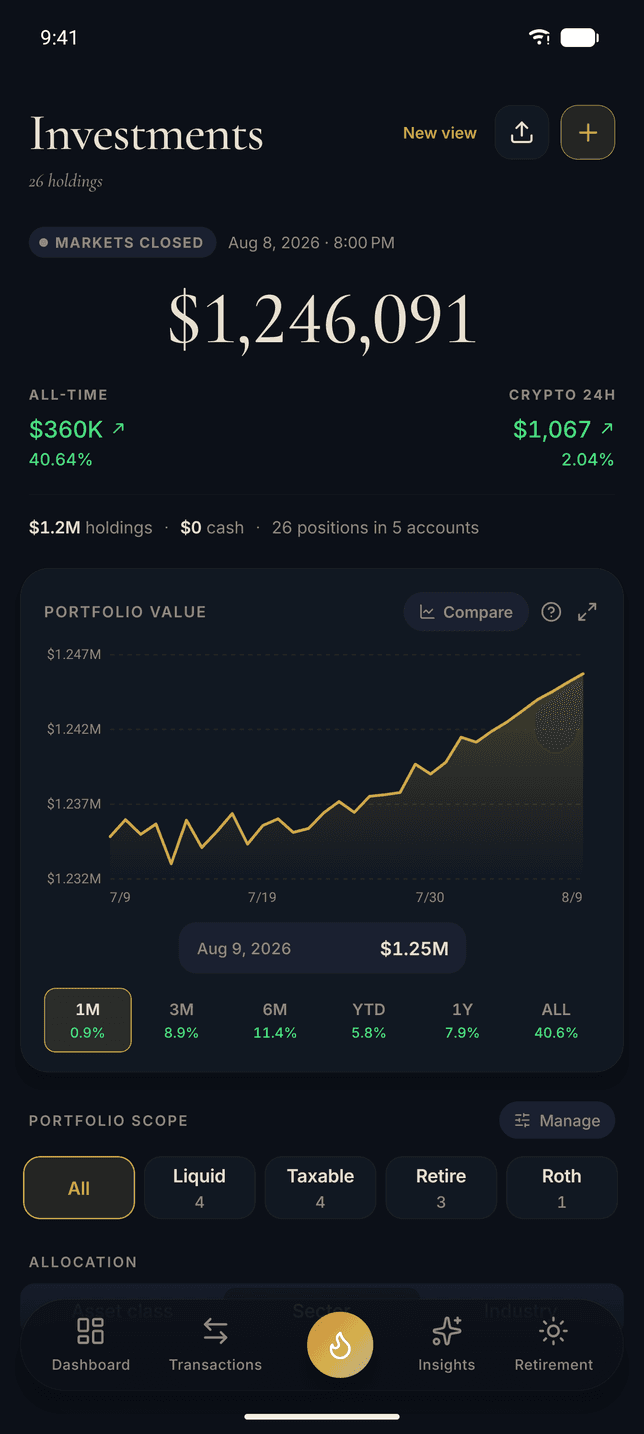
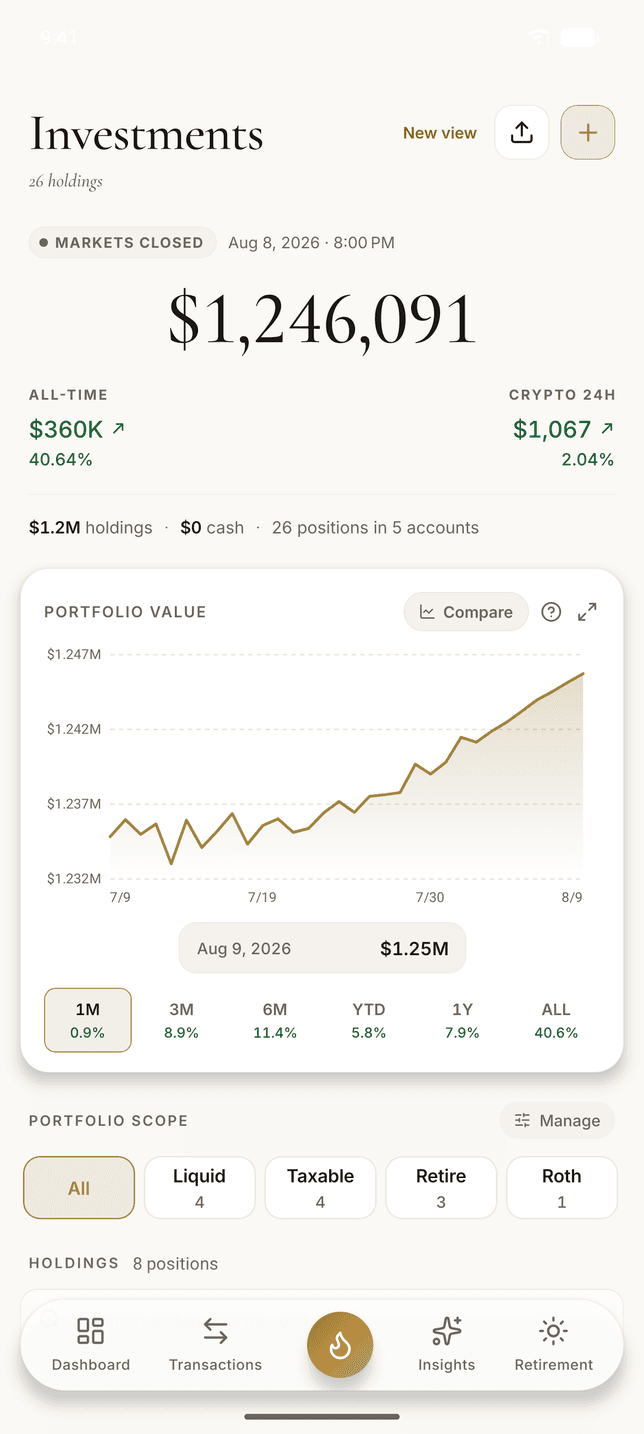
Investments
Every account you own, added up on one screen
Every brokerage, 401(k), IRA, HSA, and crypto holding consolidates into one portfolio with time-weighted returns, so the number you see is market performance rather than the money you added. The capture is the Hale household’s: 26 positions worth $1,246,091, up $360,067 all time.
Crypto carries its own 24-hour line, because it is the only thing on the screen still trading while the markets are closed. And any holding opens into the whole security, which is the next screen down.
How investment tracking works →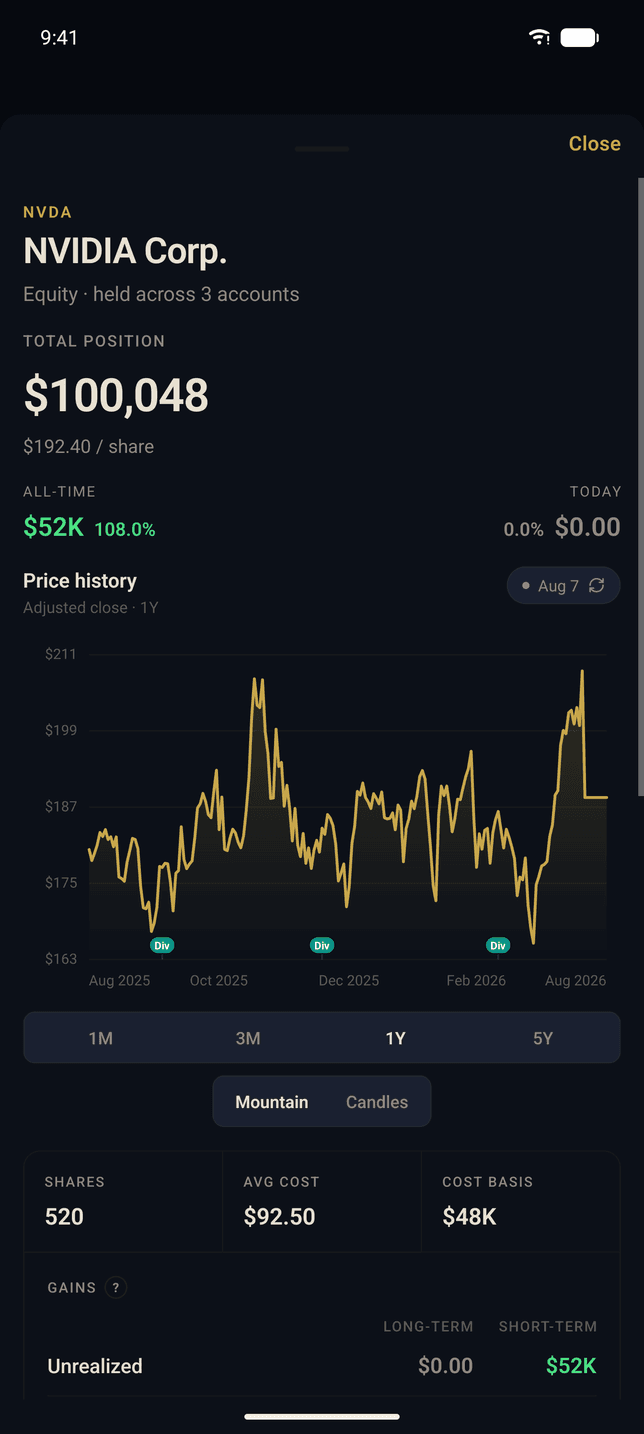
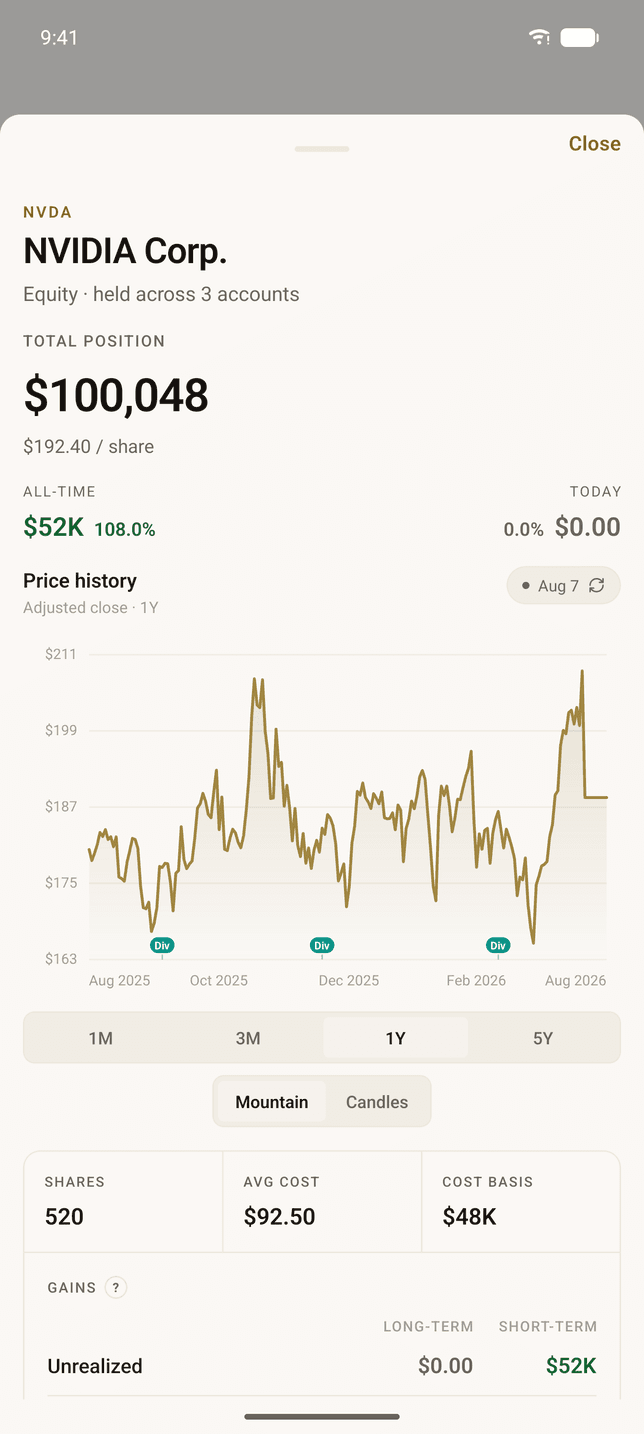
Investments
Open a position, not just a portfolio
Tap a holding and the phone gives you the whole security: a year of price history with the dividends marked on it, a candlestick toggle, share count, average cost, and the long-term and short-term split on unrealized gains.
The capture is the Hale household’s NVIDIA position: 520 shares across three accounts, worth $100,048, with the account breakdown further down the same screen.
How investment tracking works →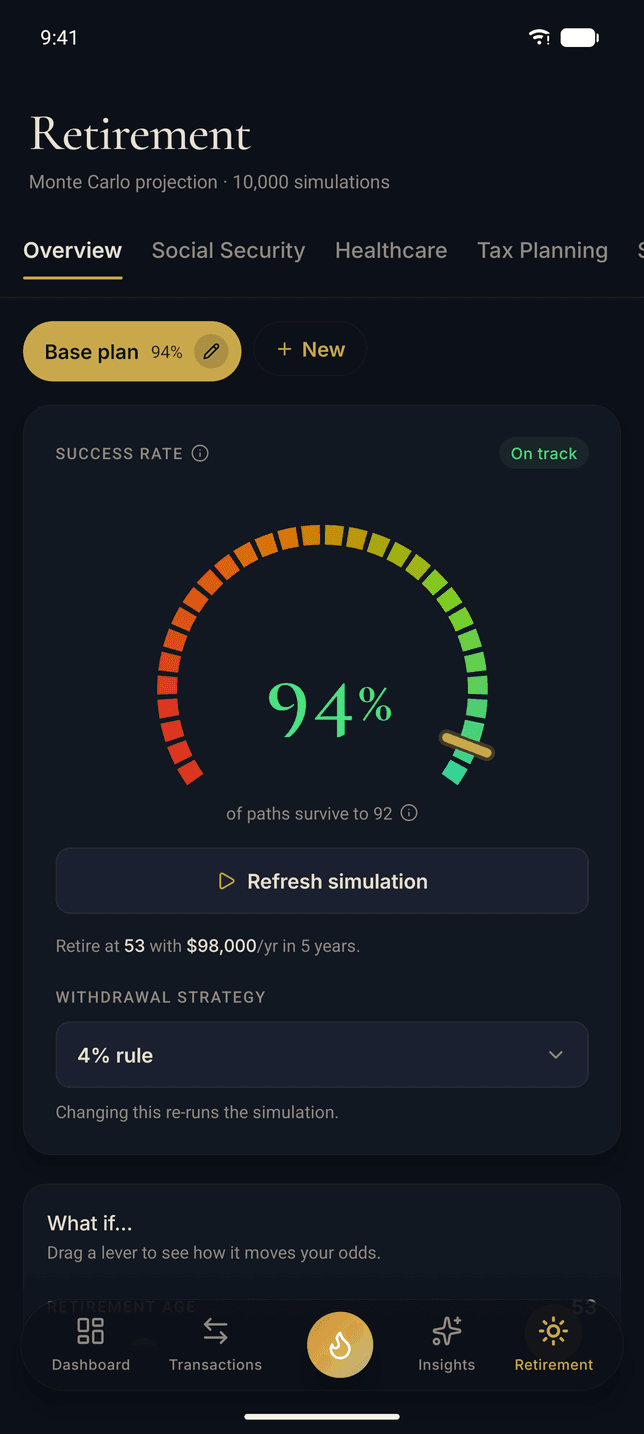
Retirement
A real engine, running on the phone in your hand
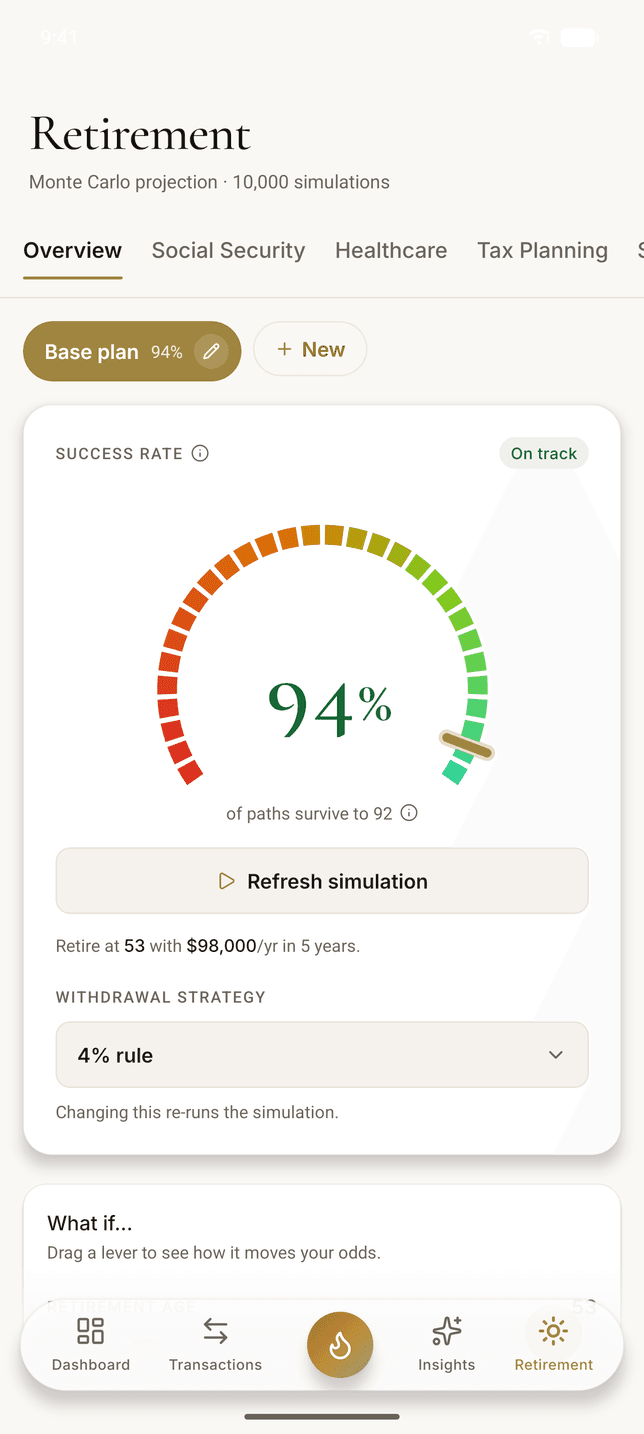
Not a retirement calculator with three inputs. The capture is 10,000 Monte Carlo paths against the Hale household's actual accounts and actual spending, 94% of them still funded at age 92, with Social Security, healthcare, and tax planning each carrying their own tab. Refresh it on the phone and it re-runs there.
How the retirement engine works →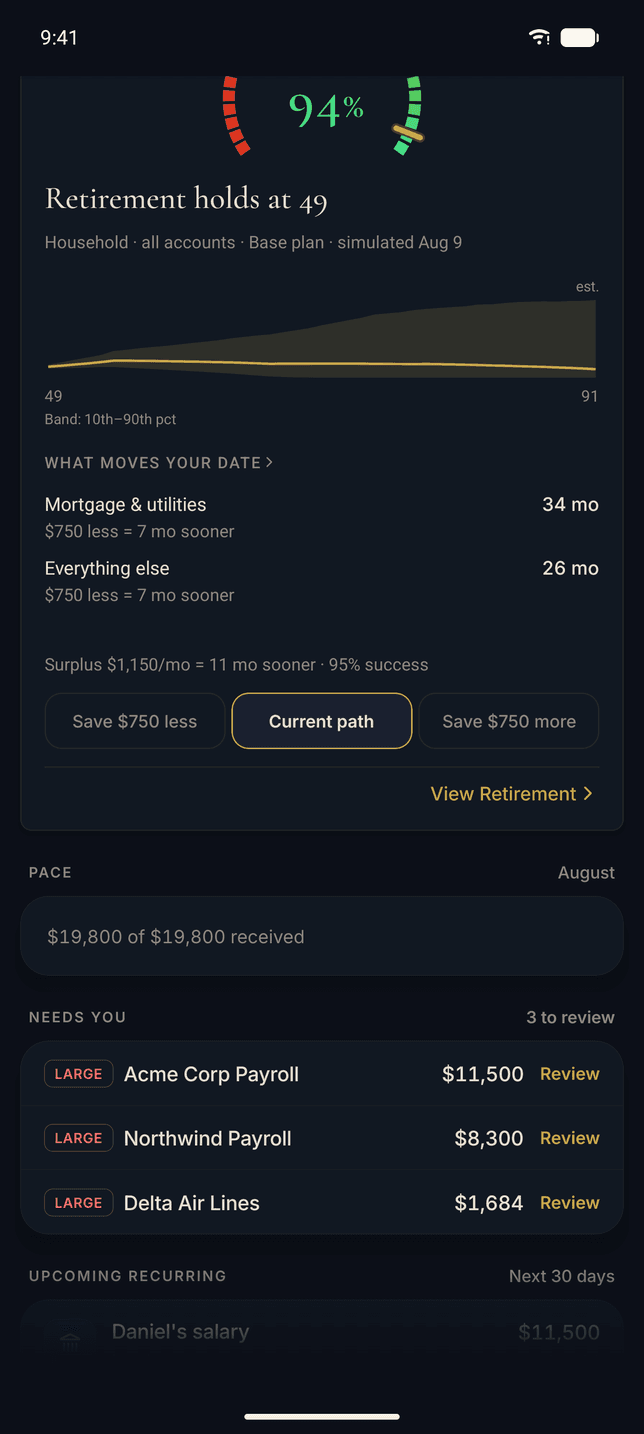
The Bridge
This month, priced in months of freedom
Because one app holds your spending and your retirement plan, it can quote one in the other’s units. What Moves Your Date ranks your categories by what trimming them does to your retirement, and the what-if chips re-run the projection while you watch.
On the capture, a $1,150 monthly surplus, invested and held, is 11 months of earlier retirement. That is the sentence a budgeting app on its own can never finish.
Why the Bridge exists →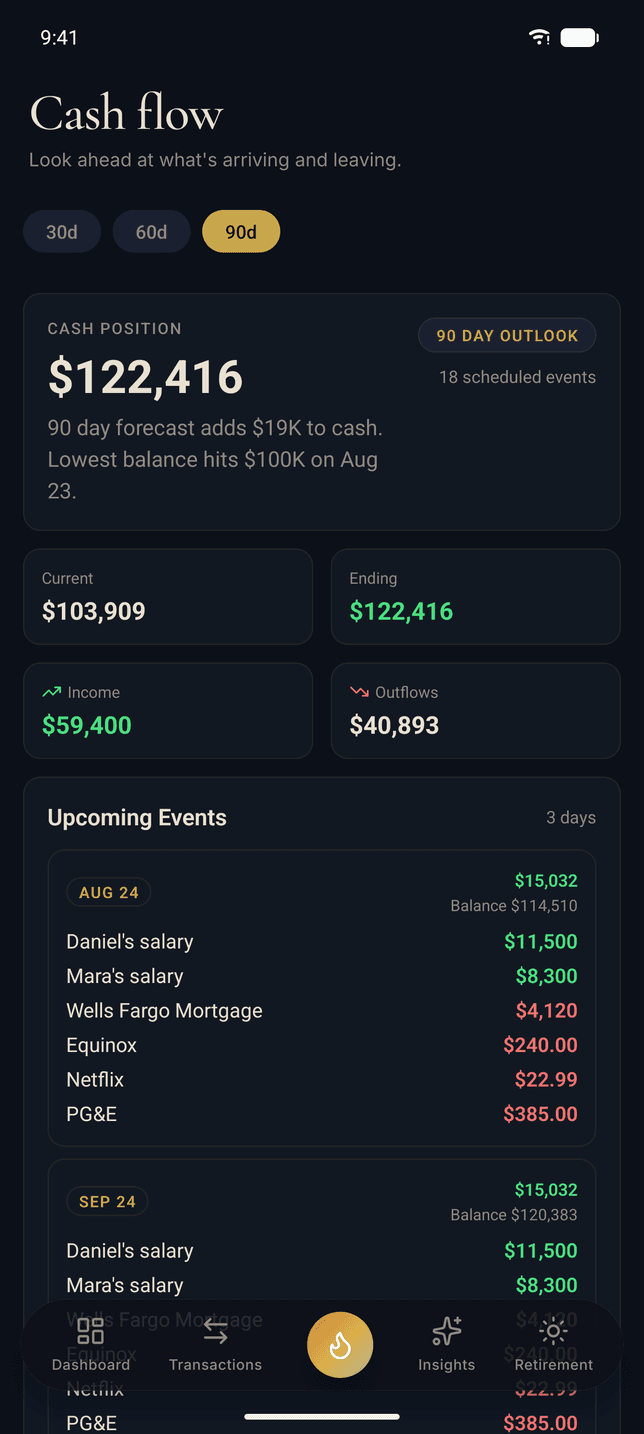
Cash Flow
The next 90 days, before they happen
Thermal already knows your salaries, your mortgage, and your subscriptions, because it found them recurring in your transactions. The cash flow screen plays them forward: the balance you will end the window with, and the day the balance dips lowest, named ahead of time.
Thirty, sixty, or ninety days out, with every scheduled event listed under the day it lands. The surprise bill stops being a surprise, because it was on this screen three weeks before it hit the card.
How Thermal tracks your money →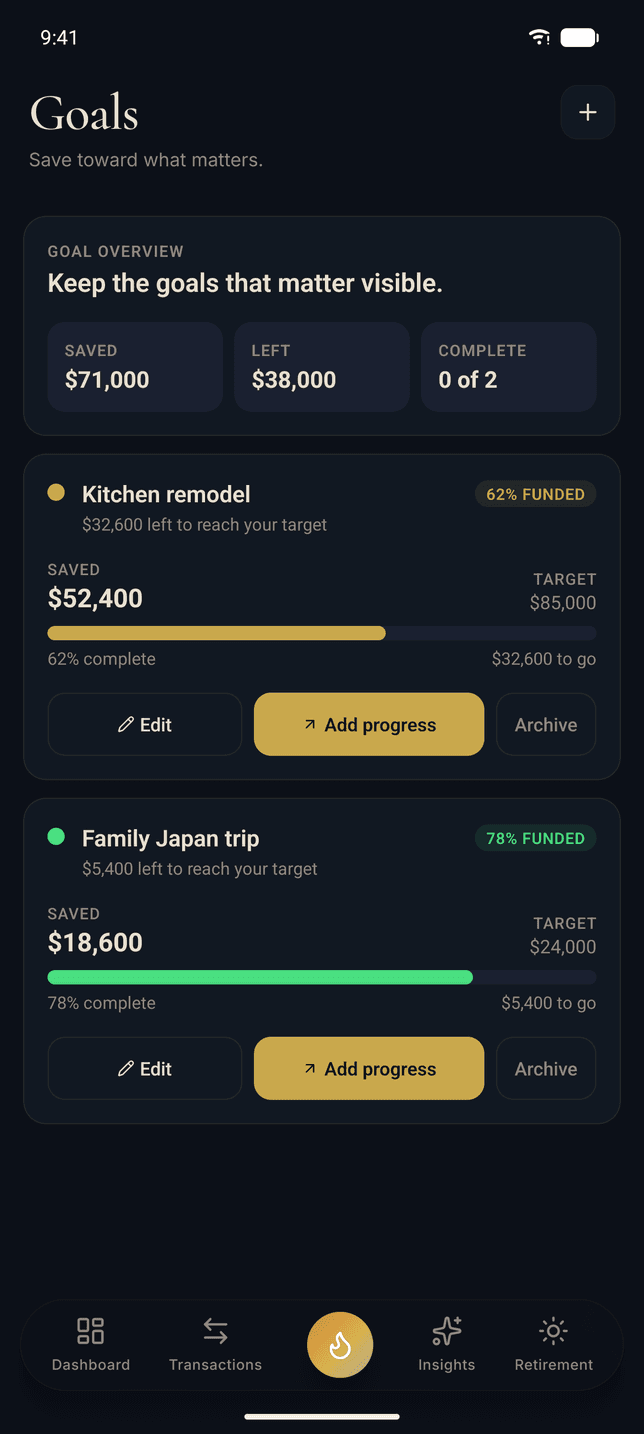
Goals
Name the thing you are saving for
A goal is a number with a name on it: the Hales are 62% of the way to a kitchen remodel and 78% of the way to Japan, and the screen holds the running total, what is left, and the progress of each.
Add progress from the phone the day the transfer clears, and the same bars move on the web, because both are the same account.
How the budget works →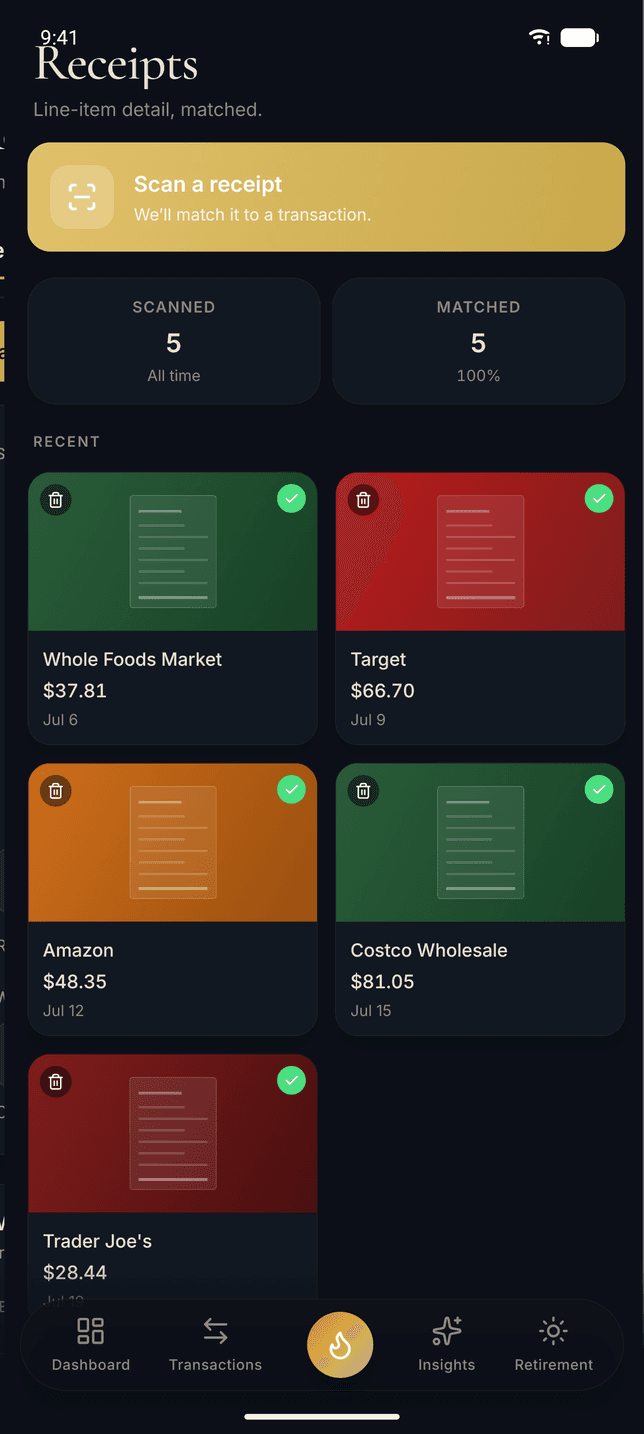
Receipts
The paper receipt becomes line items
Photograph the receipt at the register and Thermal reads the line items, then matches the receipt to the card charge when it posts. The capture shows five receipts, every one matched to its transaction.
The point is the grocery run: one $180 charge is not one expense, and item-level receipts are how a long haul splits across categories without typing any of it.
More on daily money →On The Device
Written for Android, not wrapped for it
An icon that behaves like an Android icon
Thermal ships an adaptive icon with its own foreground and background layers, so your launcher can cut it to whatever shape it uses, plus a monochrome layer for themed icons. Small thing. It is the difference between a real Android app and a port.
Fingerprint or face unlock on the door
Turn on biometric unlock in Settings and the app asks for your fingerprint or your face instead of your password. It is a toggle, not a requirement, and it never replaces the account you signed in with.
The camera is the receipt scanner
Photograph the paper receipt at the register, or pull an image out of your gallery, and Thermal reads the line items and matches them to the card charge when it arrives. Long grocery receipts split across categories by item.
Nothing is sold inside the app
The Android build signs you in and stops there: no plan picker, no checkout, no billing screen. Your subscription is bought and managed on the web, and the app reads it. That is a Play policy requirement and also just simpler.
Getting Started
Three steps, and only one of them is on the phone
Start your account on the web
Thermal accounts are created at thermalfinance.com. The trial runs 14 days with full Pro access and takes no credit card.
Connect your accounts once
Banks, brokerages, cards, and crypto link through Plaid, read-only. Thermal can see balances, transactions, and holdings, and can never move money.
Use it on the phone you already have
Until the listing is live, sign in at thermalfinance.com in Chrome, open the browser menu, and add it to your home screen: it gets its own icon and opens in its own window. Whenever the Android app does arrive, signing in is the entire migration, because everything you connected is already on your account.
Where It Stands
The app is finished. The listing is not.
The Android build runs the same screens from the same codebase as the iPhone app, and the release signing config, the adaptive icon, and the permissions are all in the build. What is left is the store side: the Play Console setup and Google’s review. That is a queue we do not control, so there is no date to give. When there is one, the download link appears right here, and not before.
The clearest signal we get is people writing in to ask. It reaches the person building the app, and it does move the order of the work.
Security
Bank connections run through Plaid, the same infrastructure behind Venmo and Robinhood, and they are read-only. Thermal never sees or stores your bank credentials, encrypts your data with AES-256 at rest and TLS in transit, and never sells it.
How Thermal protects your data →Want the full list of what Thermal does? Every feature, in one place. Carrying an iPhone too? Read about Thermal for iPhone.
Start on the web. Carry it in your pocket.
The trial runs 14 days at the Pro level, on every device you sign in to. No credit card to start.
14 days free · Full Pro access · No credit card