Spending & Cash Flow
Stop guessing where
your money goes.
Every transaction synced, categorized, and searchable. Recurring charges detected, transfers filtered out, and a flow diagram that follows each dollar from paycheck to purchase.
14 days free · Full Pro access · No credit card
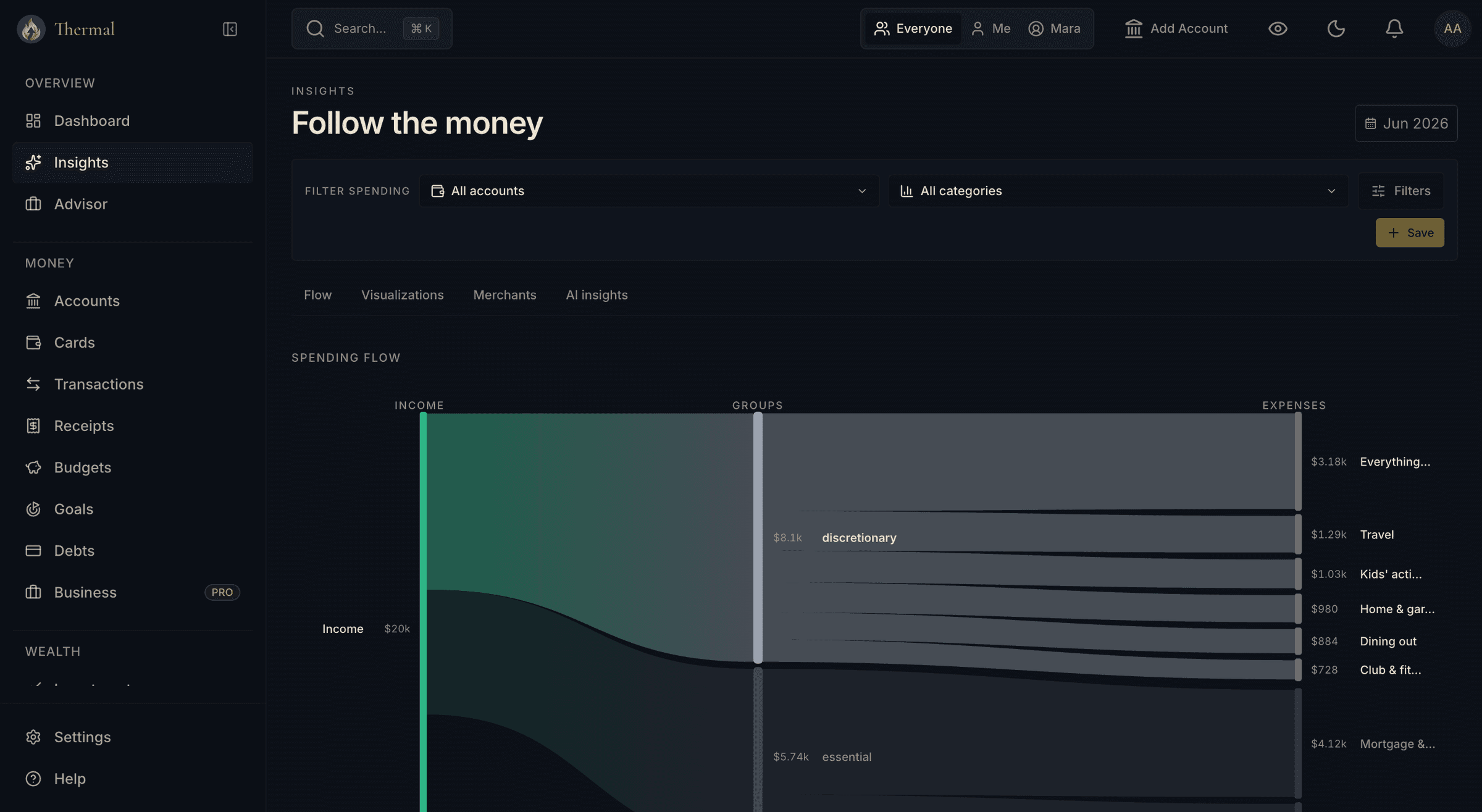
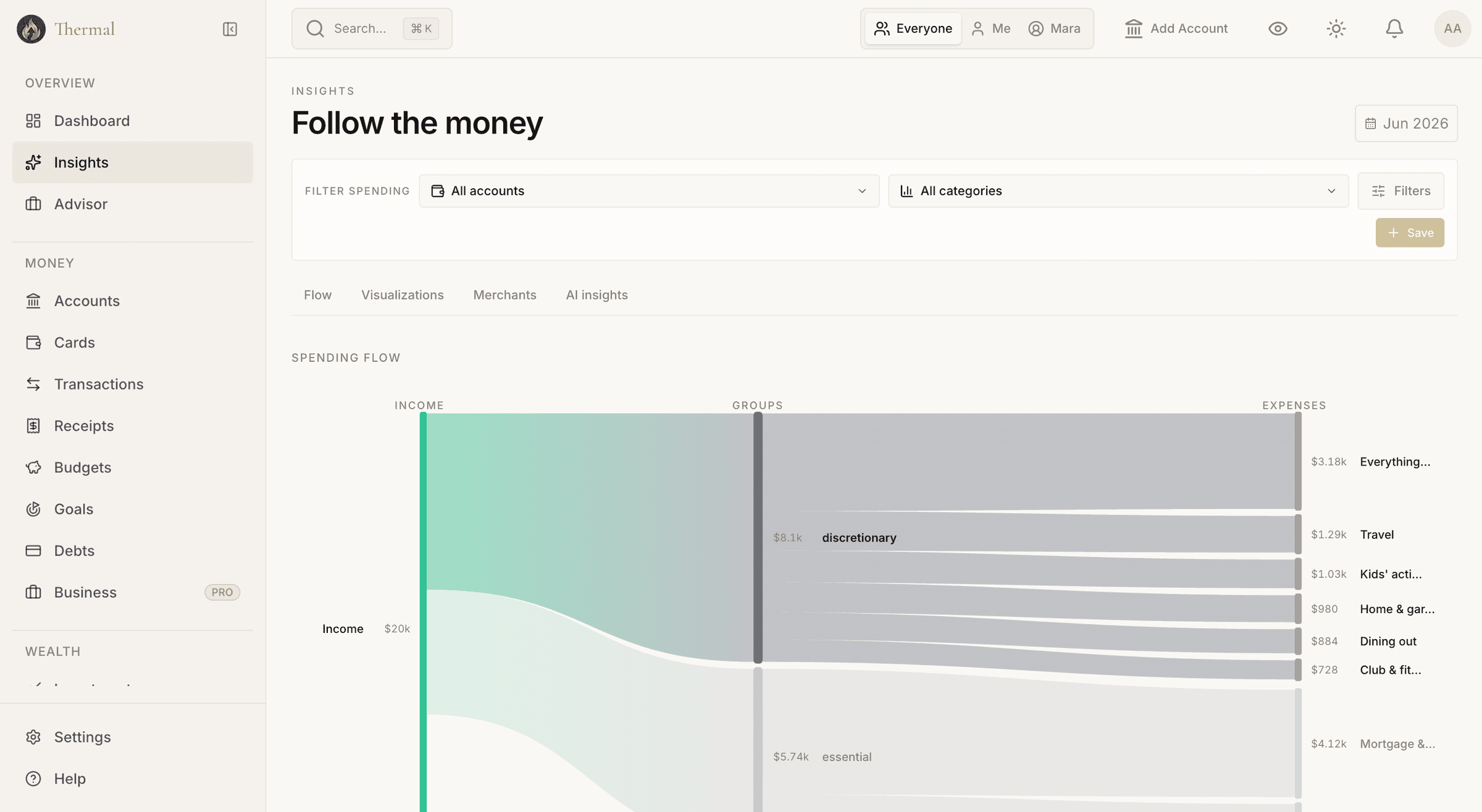
Follow the money: income on the left, every expense category on the right, nothing hidden in between.
Smart Categorization
Categorized before you open the app
Thermal categorizes on import, then learns from your corrections. Set a rule once and never file that merchant again.
Categorized on arrival
Transactions are categorized the moment they sync. Thermal maps merchant data to a clean taxonomy, so you see groceries, not MCC code 5411.
Rules you set once
Create rules by merchant, exact name, or prefix. Every future transaction from that merchant lands in the right category. No more re-filing the same coffee shop every week.
Bulk reassignment
Recategorize months of history in one action. Move every Uber ride from Transportation to Business and Thermal writes the rule for future ones too.
Search that keeps up
Typo-tolerant search across every account. Filter by date, category, merchant, tag, amount, or type, with a running count and total that stay visible as you scroll.
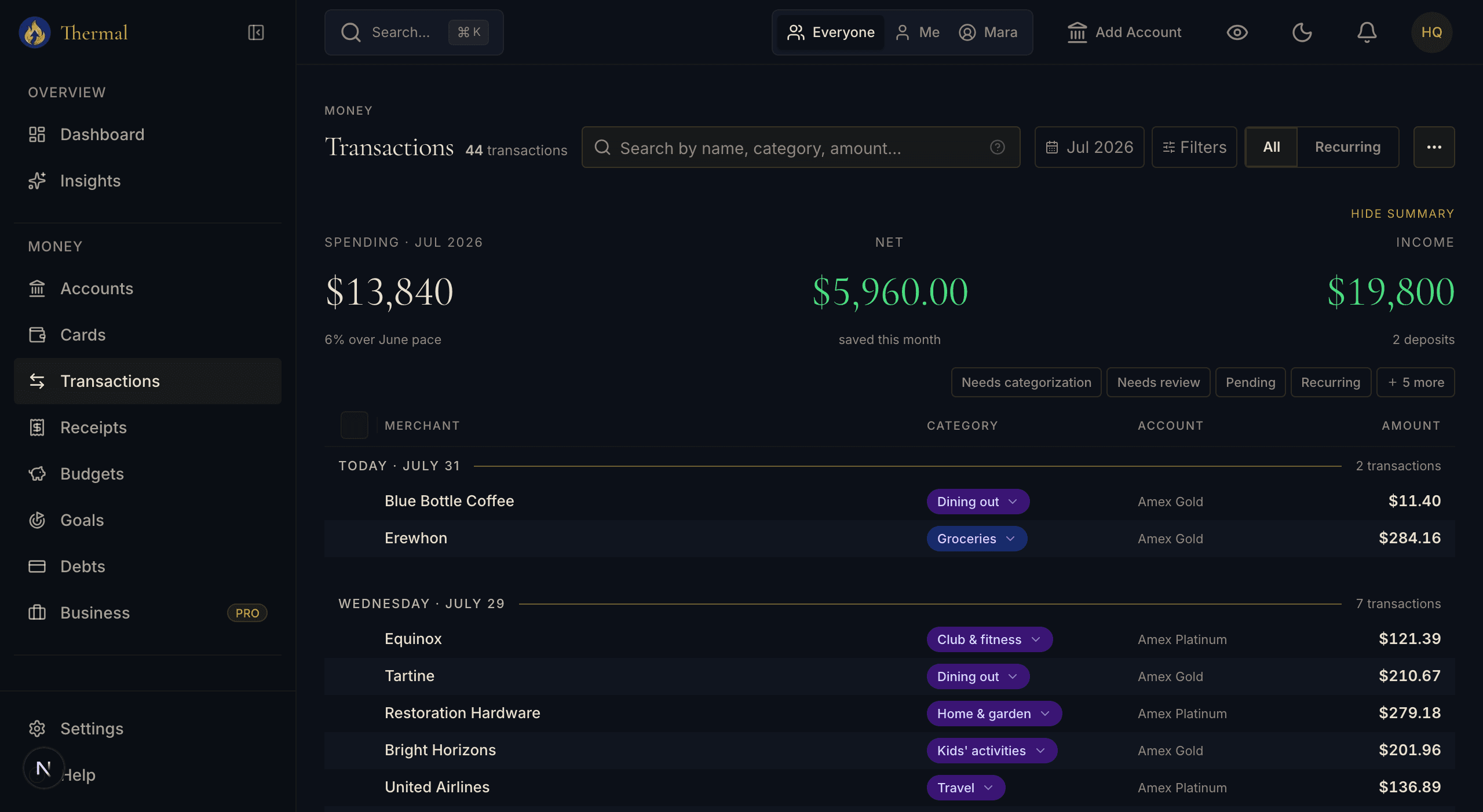
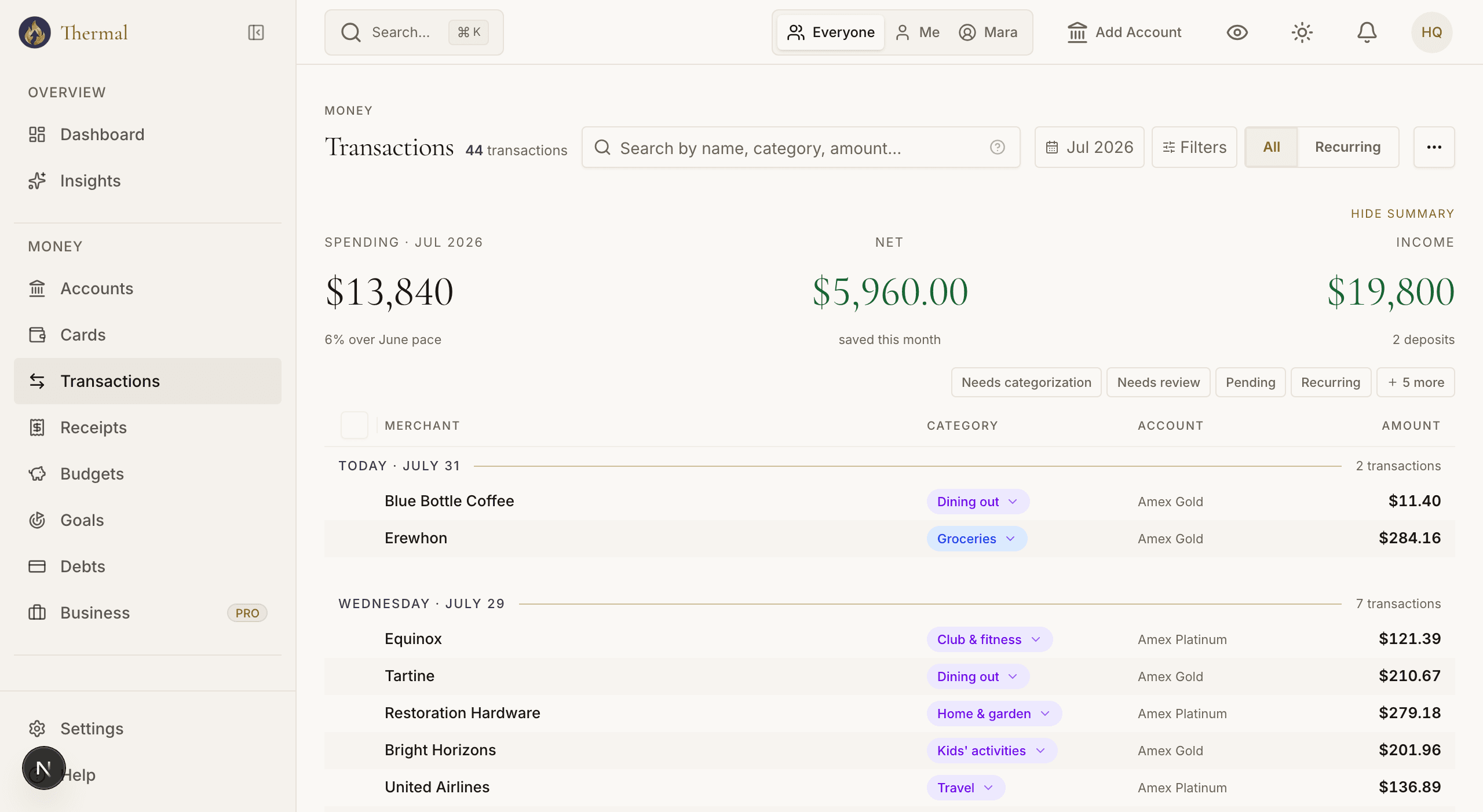
The Statement view leads with what needs your attention, then upcoming charges, then the full ledger.
On Autopilot
The bookkeeping you never wanted to do
The tedious parts of expense tracking run on their own: recurring charges surface themselves, internal transfers stay out of your totals, and receipts turn charges into line items.
Recurring detection
Subscriptions, utilities, and memberships are detected automatically, so you know your fixed costs without typing them in. Charges that jump from a stream's usual amount get flagged.
Transfer detection
Moving money between your own accounts isn't income or spending, and Thermal knows it. Transfers are matched automatically and kept out of your totals. Reclassify any pair in one click if it was actually an expense.
CSV import
Bring years of history from an old bank export or a tool you're leaving. Imported rows flow through the same categorization and rules as live data.
Receipt line items
Snap a receipt or let the Chrome extension pull your Amazon, Costco, Target, and Walmart orders. One $284 charge becomes its actual items, and a single charge can split across categories.
14 days free · Full Pro access · No credit card
Insights
Four ways to read the same month
The insights page slices your spending as a Sankey flow, visual breakdowns, and a merchant leaderboard. On the Pro plan, AI insights mine your data for patterns worth acting on, like a subscription you stopped using or a category quietly creeping up. Not ready to act? Snooze an insight and it returns when you said, not before.
Spreadsheet Replacement
Better than the spreadsheet you keep meaning to update
| Spreadsheets | Thermal |
|---|---|
| Manual data entry | Automatic bank sync |
| Static pie charts | Interactive Sankey flows |
| Breaks when you miss a day | Always up to date |
| One person at a time | Whole-household view |
| No categorization | Automatic, plus your rules |
| Hours per month | Minutes per month |
Next Step
Seeing it is half the job. Budgeting is the other half.
Once your spending is clean and categorized, Thermal's envelope budget puts every dollar to work, with Ready-to-Assign, targets, and credit card payment envelopes.
See envelope budgeting →Ready to see where your money goes?
Link your accounts and watch the flow diagram draw itself in under two minutes.
14 days free · Full Pro access · No credit card